Jdocmanual
Configure Languages
The Jdocmanual Languages page shows a list of languages available in your Joomla installation. The publication Status of each language is for information only. It cannot be changed here. Go to the System / Content Languages page to change a language status.
Language Filter Plugin
You must enable the Language Filter plugin or the left menu will not work, even if your are only using one language:
- Select Plugins from the Home Dashboard or the System page.
- Filter with Language.
- Enable the System - Language Filter and System - Language Code plugins.
Select Jdocmanual languages
This is an example screenshot of the Languages page:
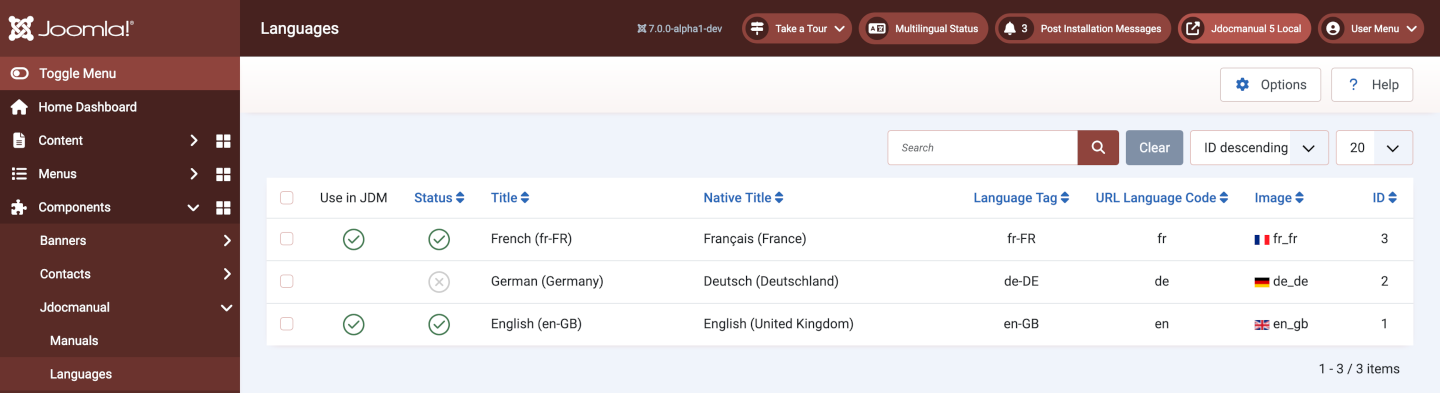
Select any language that you wish to use in Jdocmanual. The default language set in the Options must always be selected. Others are optional.