Jdocmanual
Image Nameing Convention
Managing images in Jdocmanual, or any other documentation system, can be a bit of a problem! A single article may have 20 images or more, or none at all. VSCode helps by showing a file tree when selecting an image to insert into a markdown document.
Image File Locations
In Jdocmanual images are kept in a separate file tree from articles. The images tree has exactly the same folder names as the articles tree, except for the last element which has the same name as the article. Example (in this case manual is jdm and language is en):
manual/language/articles/data-management/file-system-layout.md

manual/language/images/data-management/file-system-layout/01-structure-seen-in-vscode.png
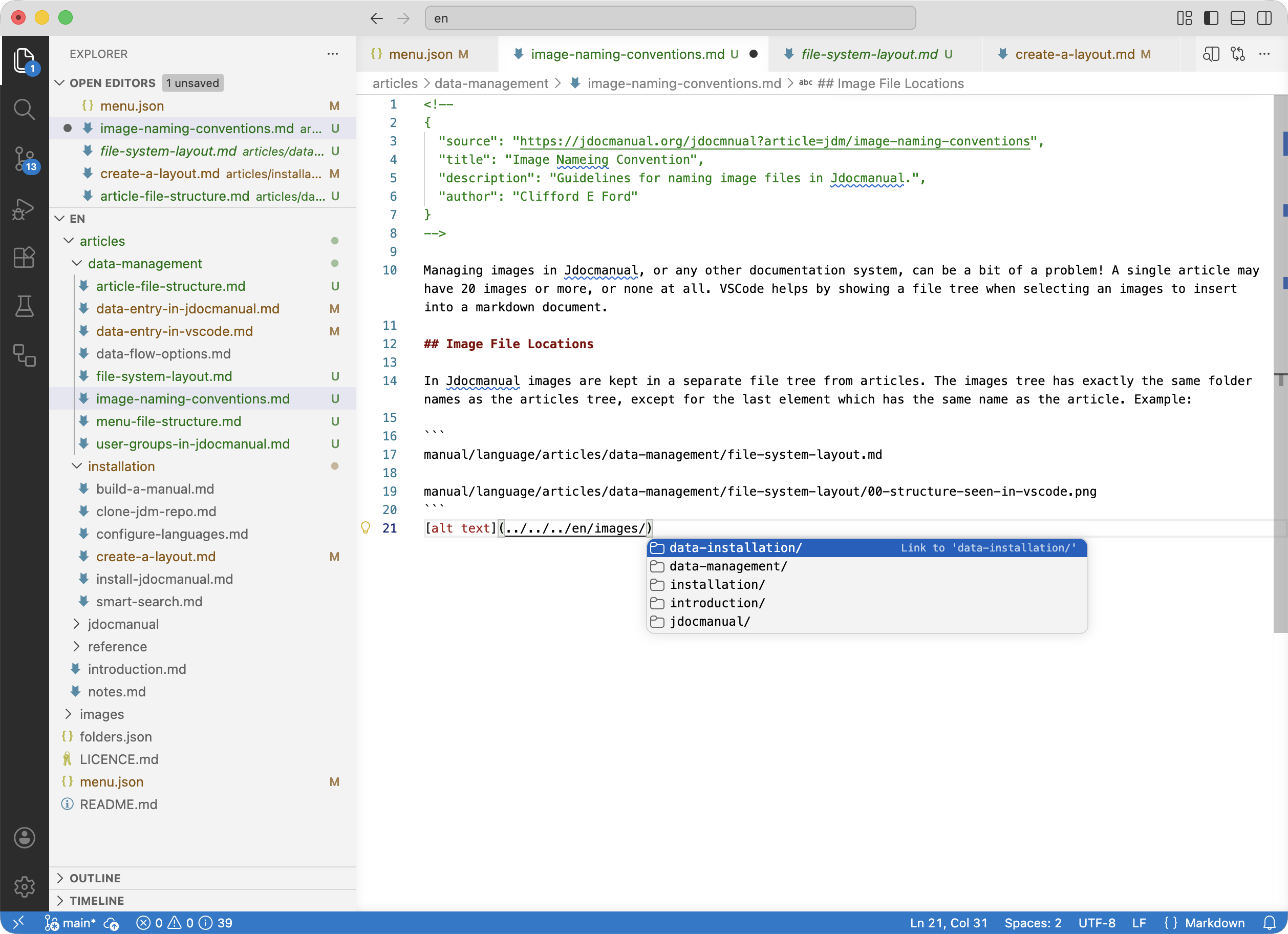
The following screenshot shows the VSCode presentation of a file tree for image selection detected after creation of an image link structure:
Naming and Numbering
Although there are no rules, it is helpful to have the image filename relate to the alt text. The preceding number is just a way to make the images appear in the order of display in file system lists. This is most useful when you need to come back to change an image in an article with many images.
In practice, you might find it helpful to create an image link before creating and saving an image.