Jdocmanual
Removable Sample Data
Joomla sample data is useful for a variety of purposes such as testing, feature illustration and preparation of tutorials. The Joomla core sample data sets available are fine for some purposes, but not all, and they are not designed to be uninstalled when no longer required. This article describes my personal approach to creation of removable sample data. Two extensions are required: a plugin and a module.
The Sample data
Just over a year ago Brian Teeman put forward a Proposal: Inclusion of a Full Installable Example Website in Joomla 6 that was to include data for A Travel Guide to Iceland. Sadly, that proposal has not been pursued and the issue has been closed.
My requirement is for subject matter to use for Tutorials and Help pages. It must be multi-lingual and it must be user creatable! For development purposes I opted to use information on Scottish Battlefields with Scottish Gaelic in addition to English. This might seem a strange choice. But the data is restricted to a period of history from 1296 (The Battle of Dunbar I) to 1746 (The Battle of Culloden) with plenty of open source information available. I have visited many of the battlefields and some are near to my home. The use of Gaelic was inspired by a visit to Carnasserie Castle where the very first document printed in Gaelic was produced in 1567. I needed to create a Language Pack for Scottish Gaelic but that is another story. I do not speak, read or know a single word of Gaelic!
The important point is that the subject matter can be replaced with anything you like without needing to change the code. However, at the time of writing, my approach is functional but an unfinished Work in Progress.
The Plugin
The code for the plugin is available from GitHub. Just a few of the features will be mentioned here.
Plugin Structure
The following screenshot shows part of the plugin structure as seen in VSCode:
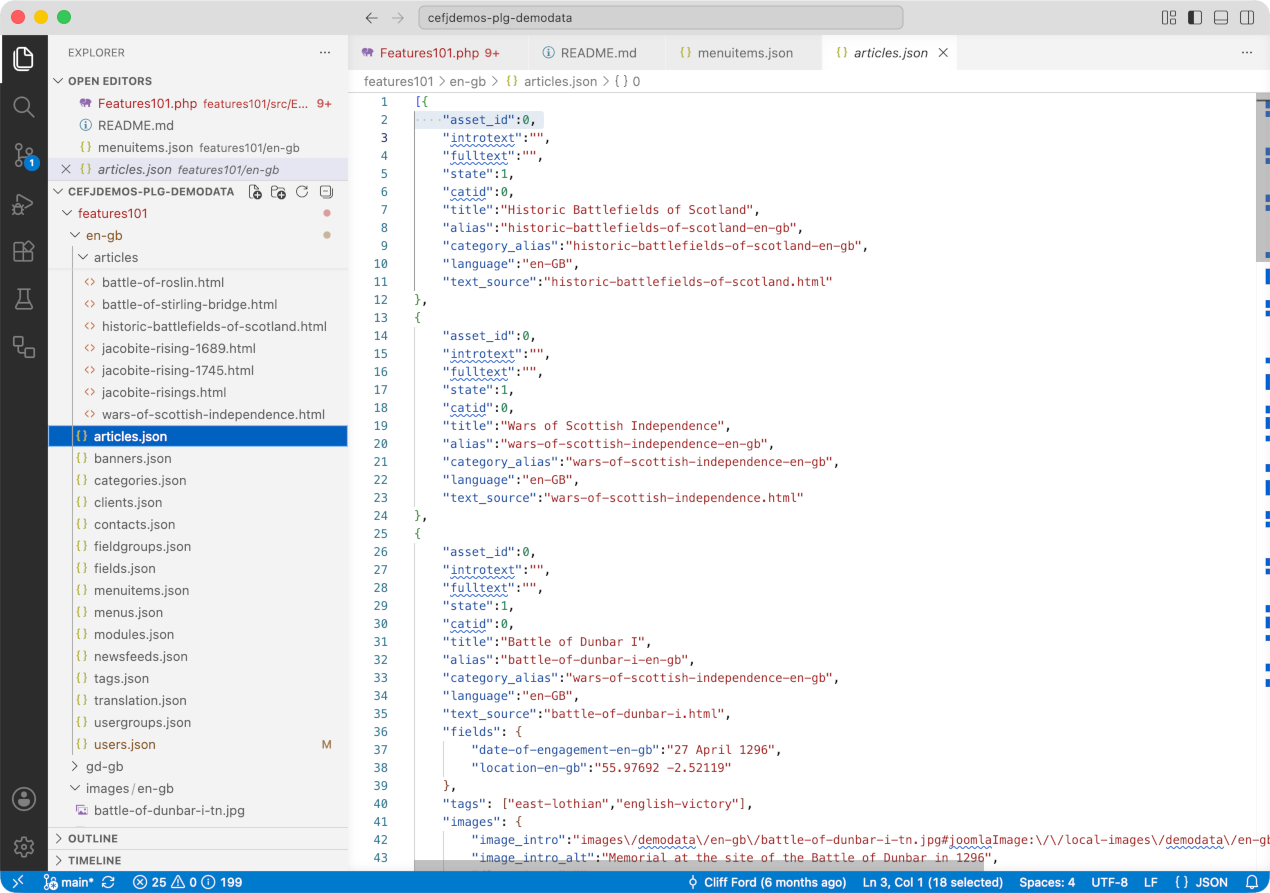
- The en-gb folder contains the sample data in British English. The gd-gb folder contains the same folder and file names but the translatable content is in Scottish Gaelic.
- Within a language folder, the articles folder contains the html files of the required articles.
- The individual json files contain the specifications of data to be added, such as articles, banners, categories and so on.
The screenshot shows part of the specifications for the list of articles. Each article specification has a text_source item indicating the location of the article html. Images are stored separately. It is anticipated that photographs will be mono-lingual but screenshots will be multilingual.
Plugin Configuration
After installation the plugin needs to be enabled and configured for languages. The following screenshot shows the configuration screen after installation of sample data. Before installation of sample data, and after uninstallation, all fields are empty, except for the Languages specification.
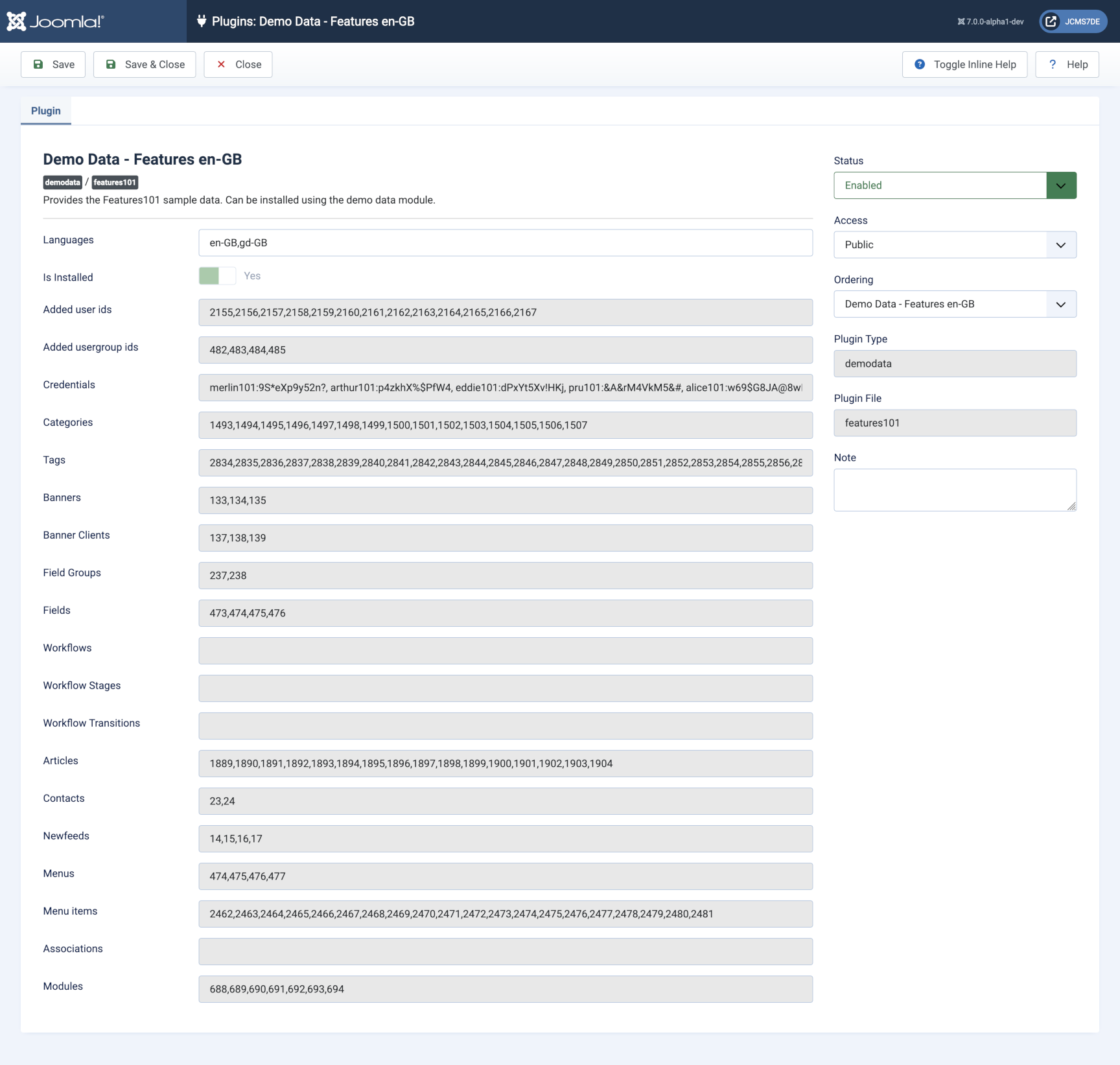
For each of the fields the numbers are mostly the ID numbers of the installed sample data items. The empty fields are for future additions.
Plugin Code
I do not propose to describe the plugin code here. It is about 3000 lines long and is very much based on the code from the existing sample data plugins. There are a lot more steps and the steps are executed in reverse order during uninstallation of the sample data.
There is one unusual feature I found necessary: a check whether a step has already been performed successfully. This comes in useful when there is an error in the input user data. It avoids manually undoing all previous steps to start again after correcting the data.
The Module
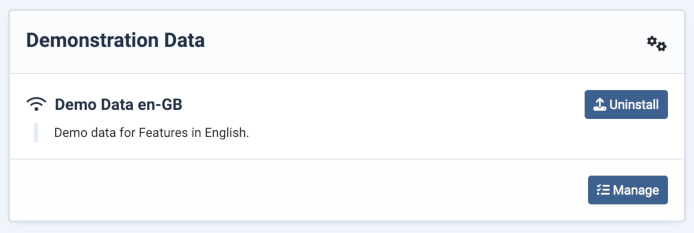
The plugin will not work without the Demodata Module! It contains the JavaScript required to implement each step in the sample data install or uninstall process. After installation the module needs to be assigned to the cPanel position where it will appear in the Home Dashboard.
Sample Data Installation
In a clean, new Joomla 6 site there are no articles, categories other than uncategorised, banners, menus or menu items other than the defaults, and so on. Select the Demonstration Data Install button and after 5 seconds or so there will be new Users, Articles, Banners and so on. Uninstall is much quicker!
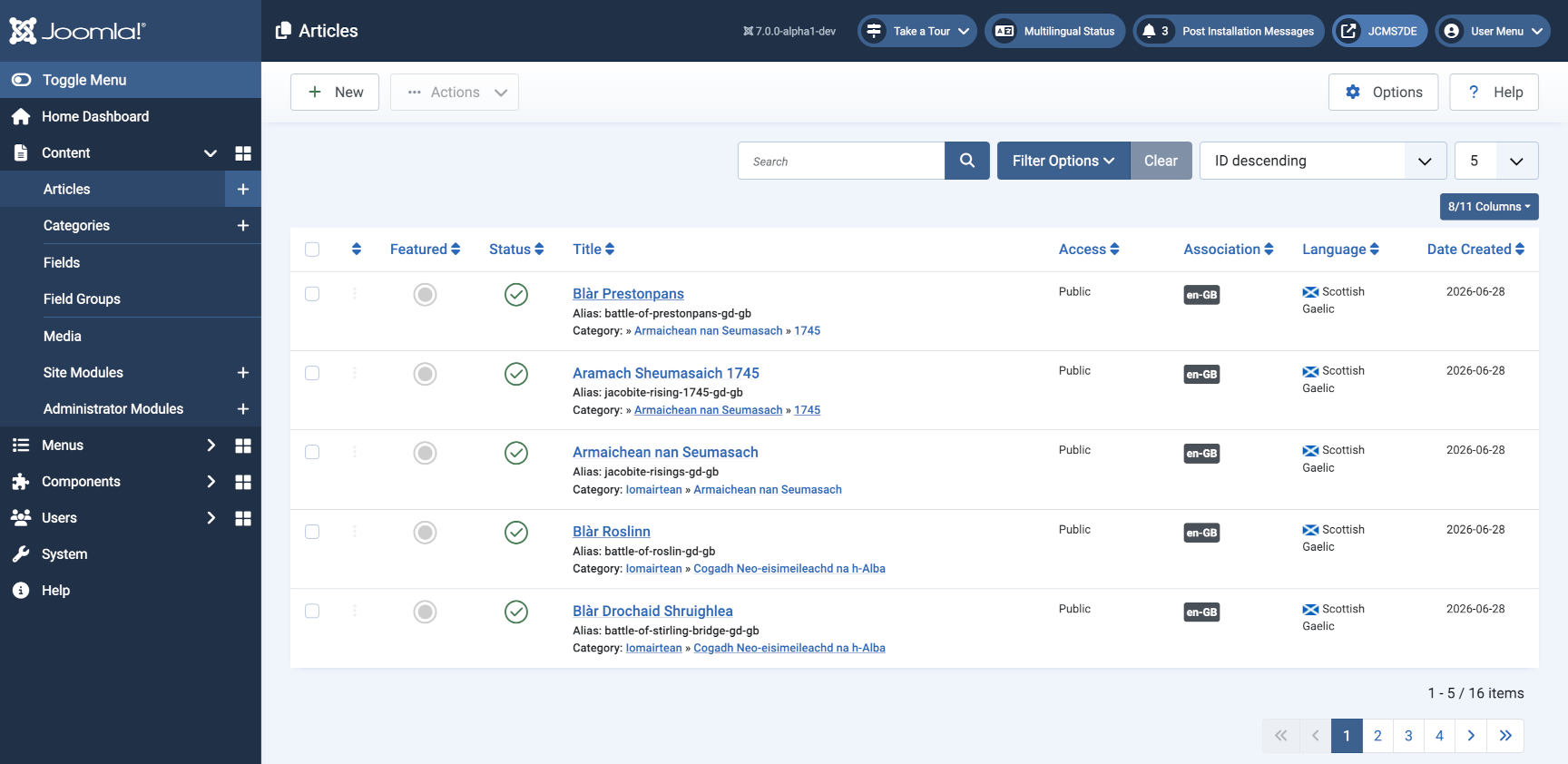
The following screenshot shows the articles list. By default the list is in descending order of ID and as the articles in Gaelic were installed last they are at the top of the list. Note that I normally set the list limit to 5 items for screenshot purposes.
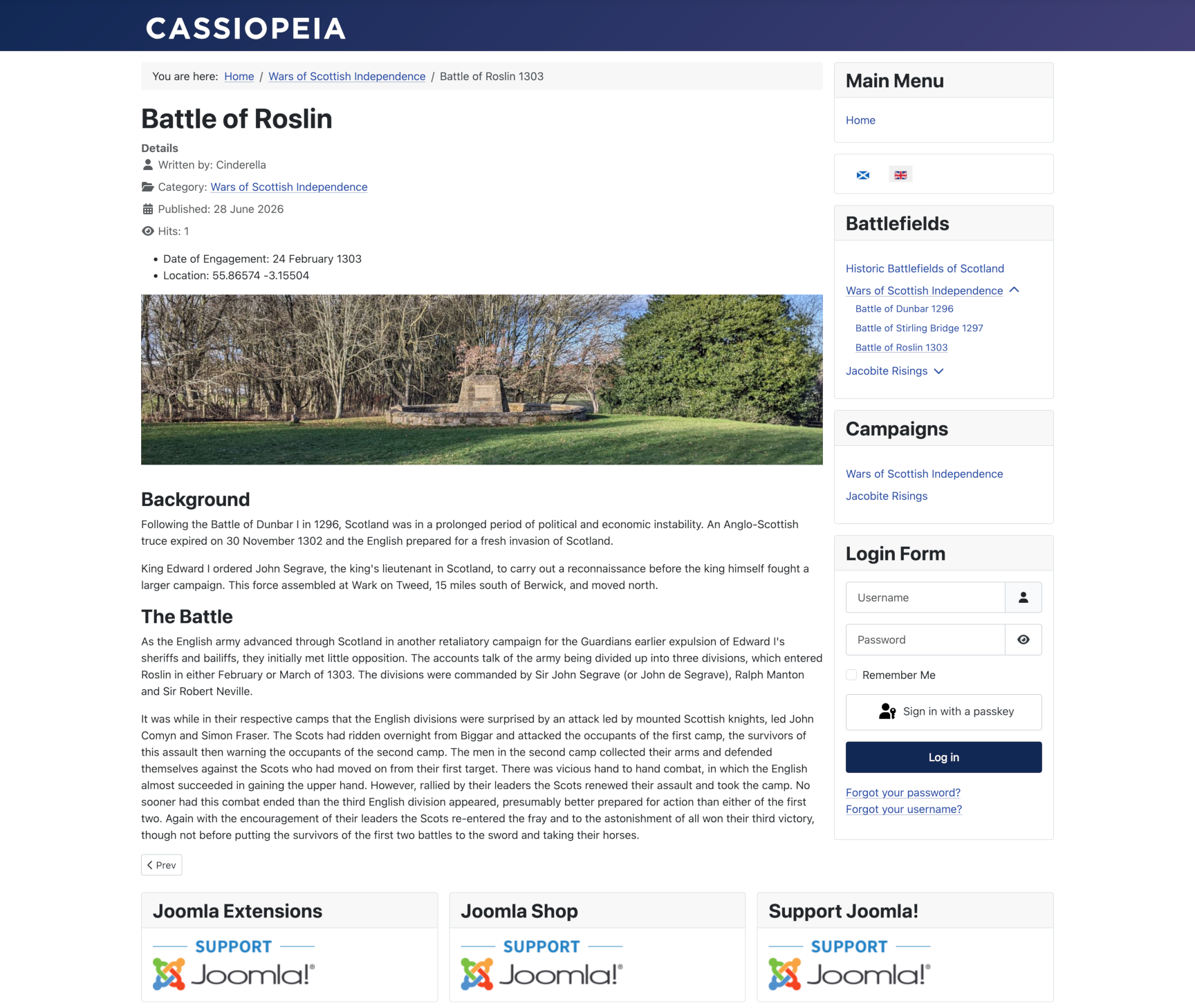
And this is a single article in a frontend view. It shows the use of categories, fields, menus and banners.
Conclusions
The screenshot of the articles list above shows that I have been testing the use of removable sample data using Joomla 7.0.0-alpha1-dev. That is because I am looking to the future even though I am 80 today!
Scottish history has provided a wealth of material for popular entertainment. For example, the Battle of Stirling Bridge featured in Braveheart, a 1995 film starring Mel Gibson, and the Battle of Roslin (above), is near to Rosslyn Chapel, which is the setting for the final part of The Da Vinci Code, a 2006 film starring Tom Hanks based on the novel by Dan Brown. Lots of potential for Tags and Custom Fields!
I have other things to do for a while. Please feel free to try out the code or come up with more universal subject matter.