Joomla User Manual
Introduction to Joomla!
Introduction
Joomla! is one of the most popular, free and open-source content management systems (CMS) available for publishing web content. It is user friendly, extendable, multilingual, accessible, responsive, search engine optimised and so much more.
There are thousands of free and commercial Joomla! Extensions available from third parties for all sorts of special purposes. However, Joomla! comes with enough core Extensions to allow you to create a fully functional website out of the box in a few minutes. It is best to familiarise yourself with the core Joomla capabilities before looking for third party Extensions.
Joomla! must be installed on a web server, either on a hosting service to make your content available to the rest of the world or on your own laptop or desktop computer for private testing purposes.
Joomla! Architecture
A Joomla! installation consists of the files used to manage and display content and a database where most of the content is stored. There are separate interfaces for the public Site and for the site Administrator, although many administrator functions can be accomplished with the site interface. The interface appearance is generated by a set of files collectively known as a template.
Site Template - Cassiopeia
This template has all you need to get started with your own website. It can be customised with template settings and user specified features such as images and colours.
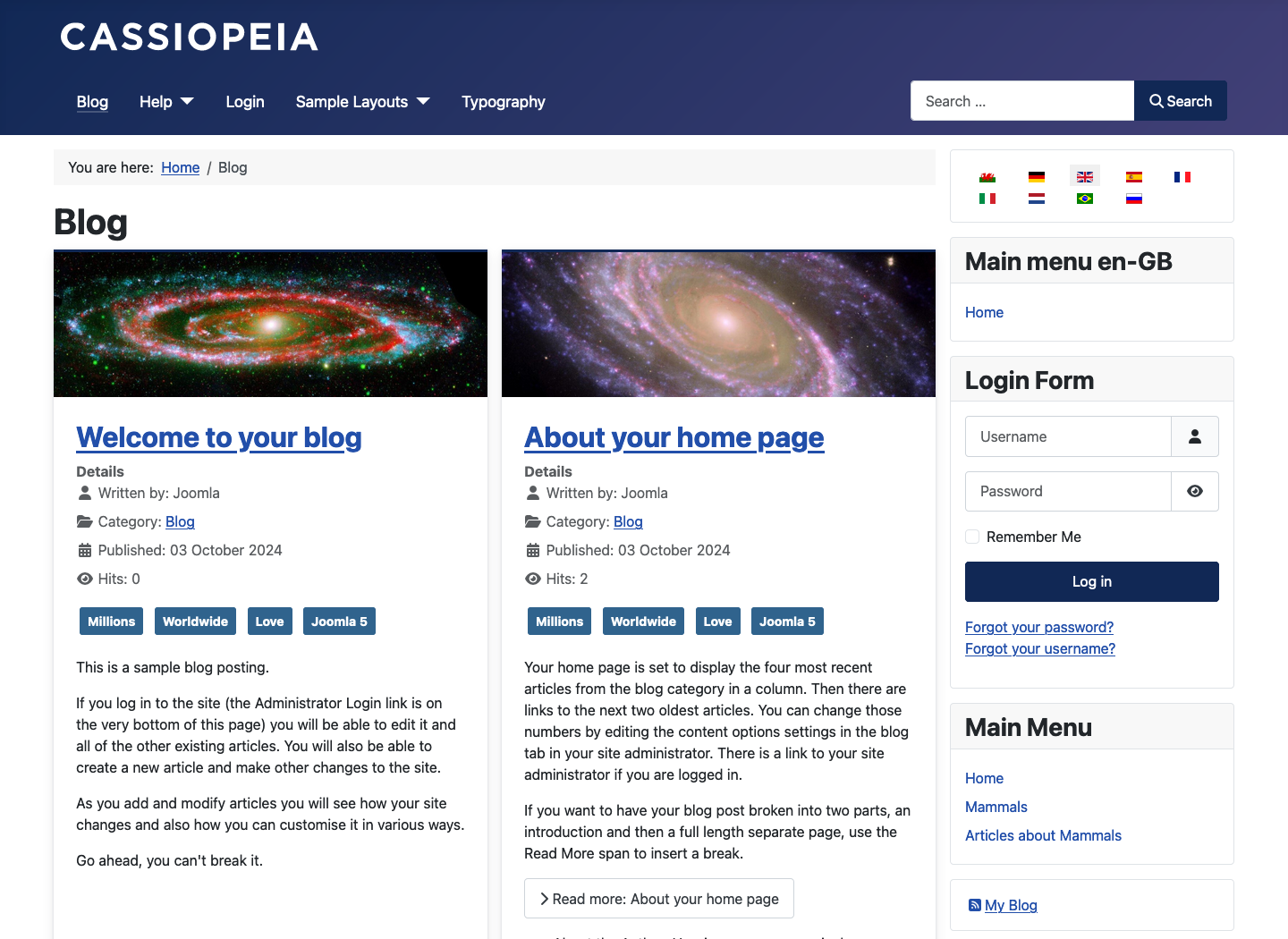
If Cassiopeia is not quite right for your site, there are hundreds of other templates available from third party suppliers, both free and commercial.
Cassiopeia Features to notice
- The top blue bar is the Header, typically containing a Logo and a Company name. You can add an image to use as a logo and change Cassiopeia to whatever you want.
- The boxes to the right labeled Main Menu and Login Form are examples of modules. The grey bar containing You are here: is a Breadcrumb module. It shows where you are in a page tree, useful in complex sites.
- The main area of the page is where the content appears. In a new installation it may be empty but in an established site it typically contains a single article or a Blog layout containing tasters for several recent articles.
Administrator Template - Atum
This template is not seen by the public so it is rarely necessary to seek an alternative.
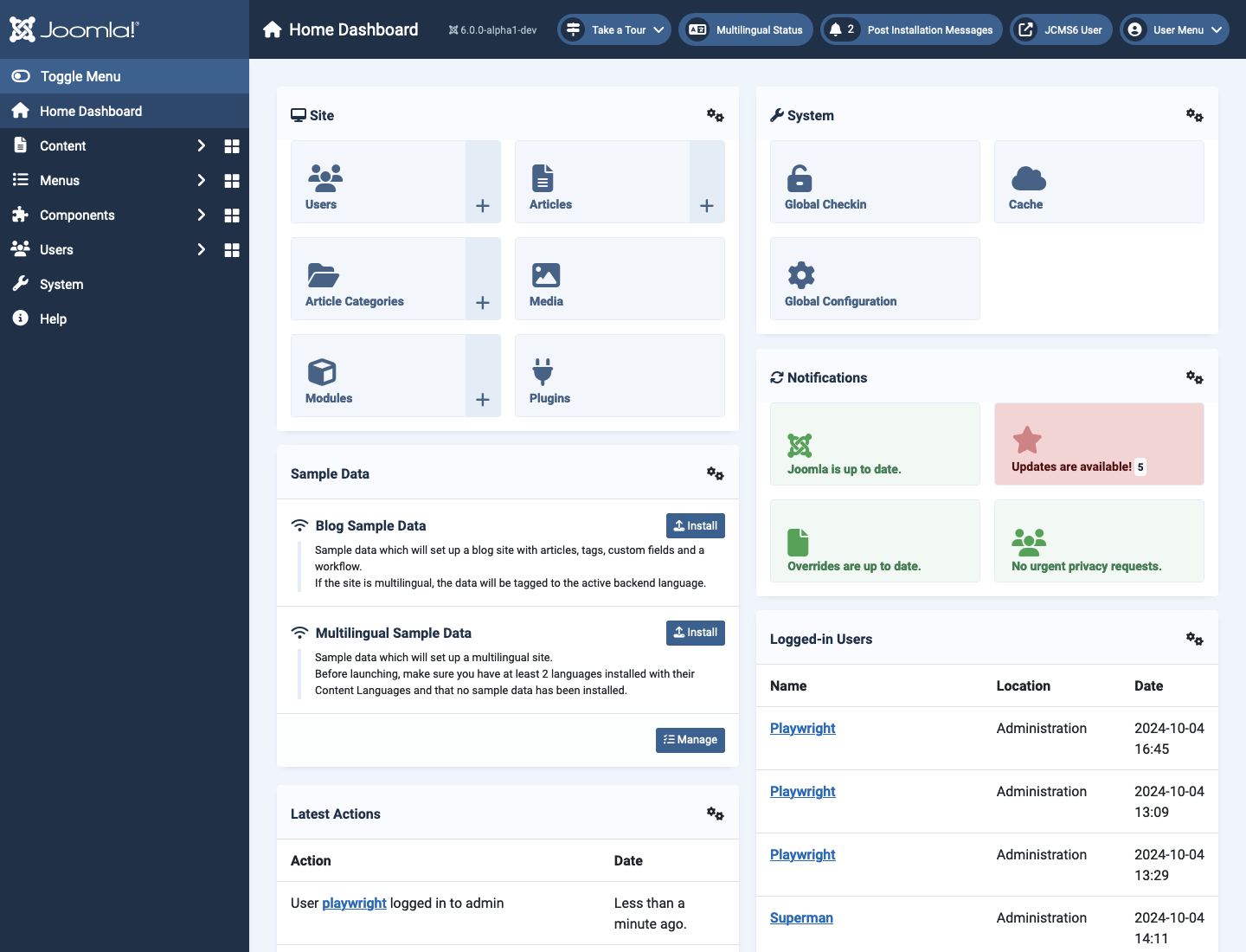
You can configure what appears on various dashboards but that is best left until experience warrants a change.
Atum Features to notice
- At the top is the Title bar containing the Joomla Logo, the Title of the page on display and a group of Information icons. They are on every page except Edit pages. To find out what they do: try them.
- The default page is the Home Dashboard. It contains panels grouping together often used Management features. You can add and remove panels as you please. And you can add items to panels and remove items too.
- The column to the left is the Administrator Menu. This provides access to the most commonly used features. The right bracket marker (>) indicates that this menu opens to reveal more items. The group of four squares marker opens a dashboard that also contains panels grouping together commonly used features.
- The Toggle button collapses or expands the menu on demand to provide more workspace.
Extensions
Joomla! code consists of several different types of Extension:
- Components control what appears in the main part of each page. Examples include the Content Component for articles and the Smart Search Component for search results.
- Modules contain code to manage the boxes that appear at the top, left, right or bottom of a page. Examples include a Login Module, a Menu Module and a Footer Module.
- Plugins add functionality to the site. Examples include Authentication options, Captcha options and Editor choices.
- Templates display page output to your specifications.
- Languages allow you to choose one or more languages in which to display and/or manage your content.
- Libraries are something for developers only.
Joomla! has all the core Extensions you need for most types of personal and community websites. You only need to look for third party Extensions for more complex requirements such as sales and marketing.